
 A Tumatext brand
Mambo Shega
Guest management for weddings, parties and events — RSVPs before the day, then check-in, gifts, food and a gift registry on every usher’s phone, all in sync.
Know who’s coming
Your guest list
Upload it from Excel or CSV — groups, tables, plus-ones, children, mobiles and emails — or keep it up one guest at a time.
Invitations that get answers
By email, WhatsApp or Telegram. Each guest gets their own RSVP page, and a tap on Attending is recorded at once.
Your event, your look
Your own sign-in link, logo, background, artwork and colours, checked to stay readable.
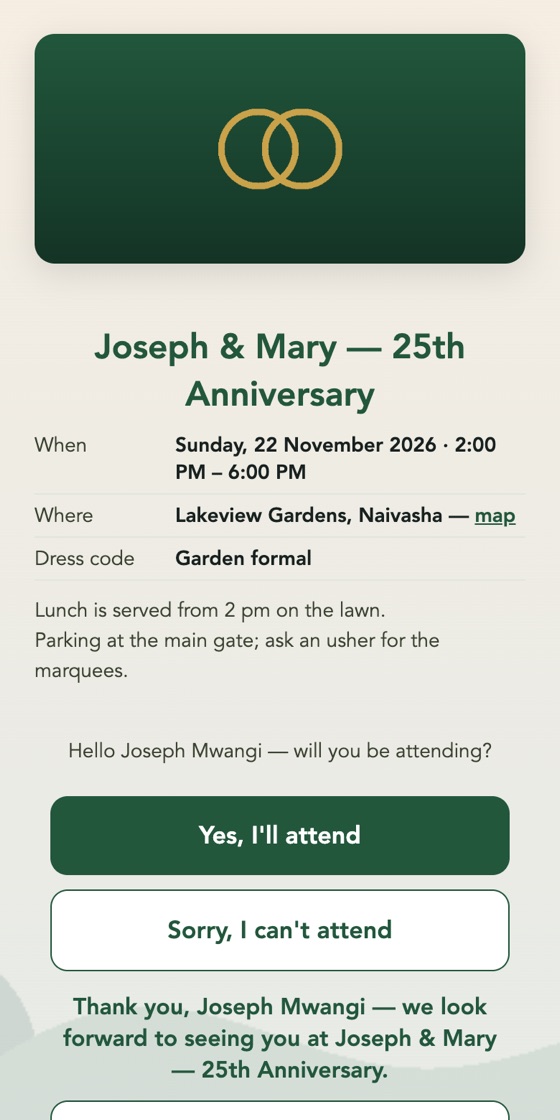
Every guest their own RSVP page
The event’s details, a map, the dress code, one tap to answer — then their group and table, and the date saved to their calendar. They can change their answer at any time.
- Their own link, even when guests share a number or an email
- From an email, a WhatsApp message, a Telegram bot or a printed QR card
- Answers counted live, with every invitation’s delivery status
Every tent, every usher, one guest list
On any phone, tablet or laptop. Switch on only what your event needs.
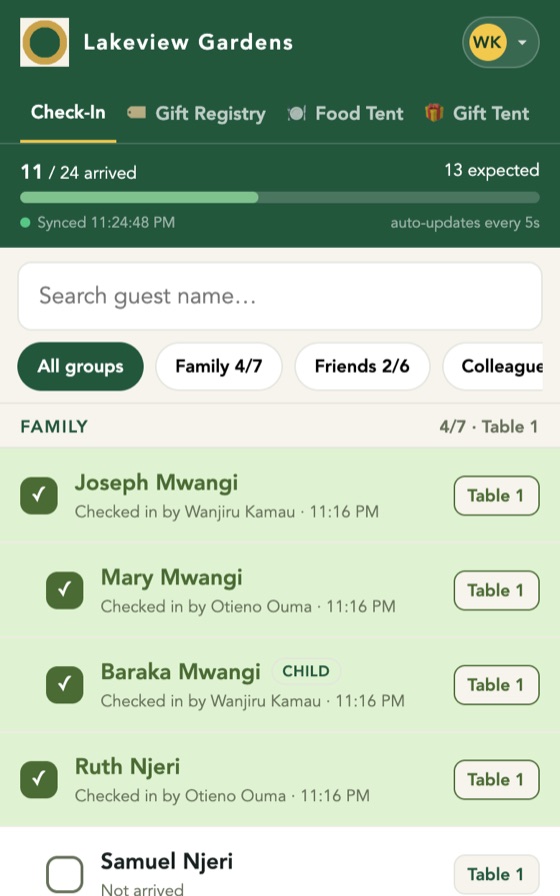
Check-in
Ushers find a guest in seconds and check them in — every phone in sync within moments.
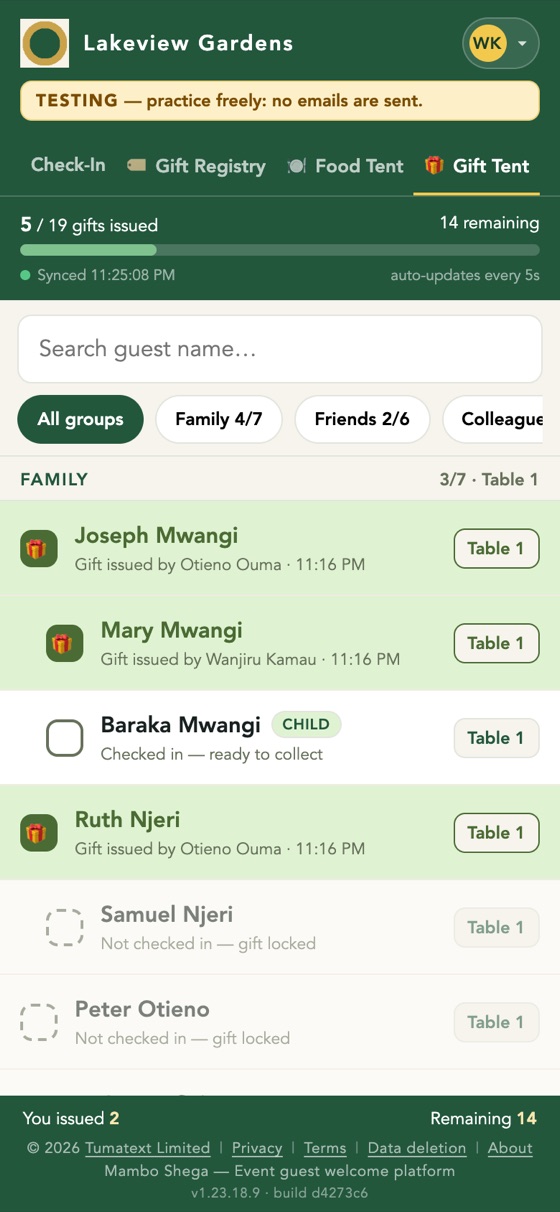
Gift Tent
Hand out the gifts you give your guests, each one recorded against the guest who received it.
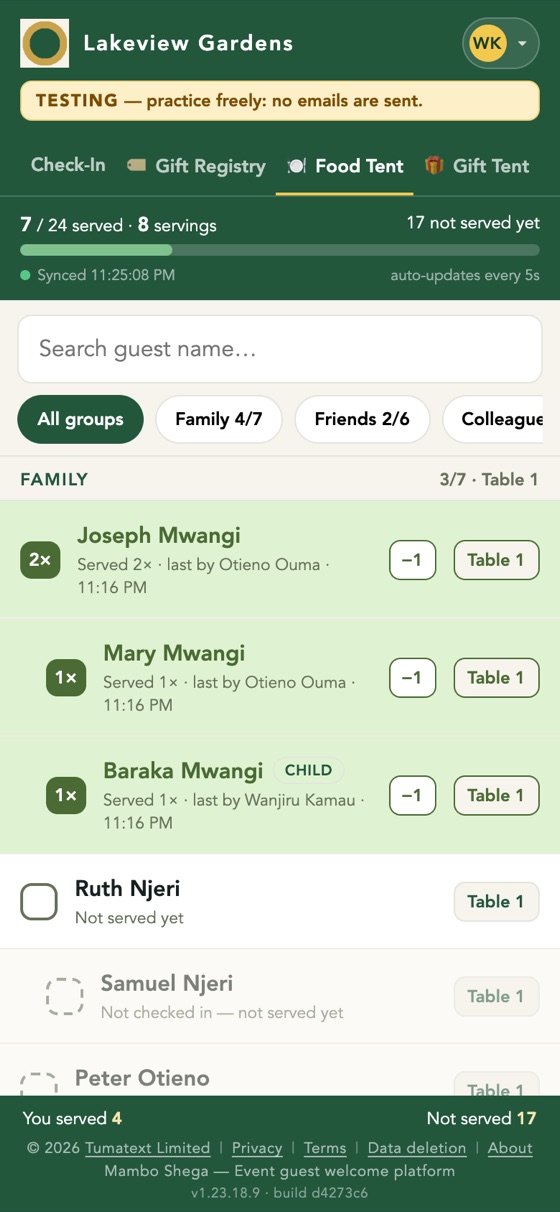
Food Tent
Every serving recorded, so you know who has eaten — and who came back for more.
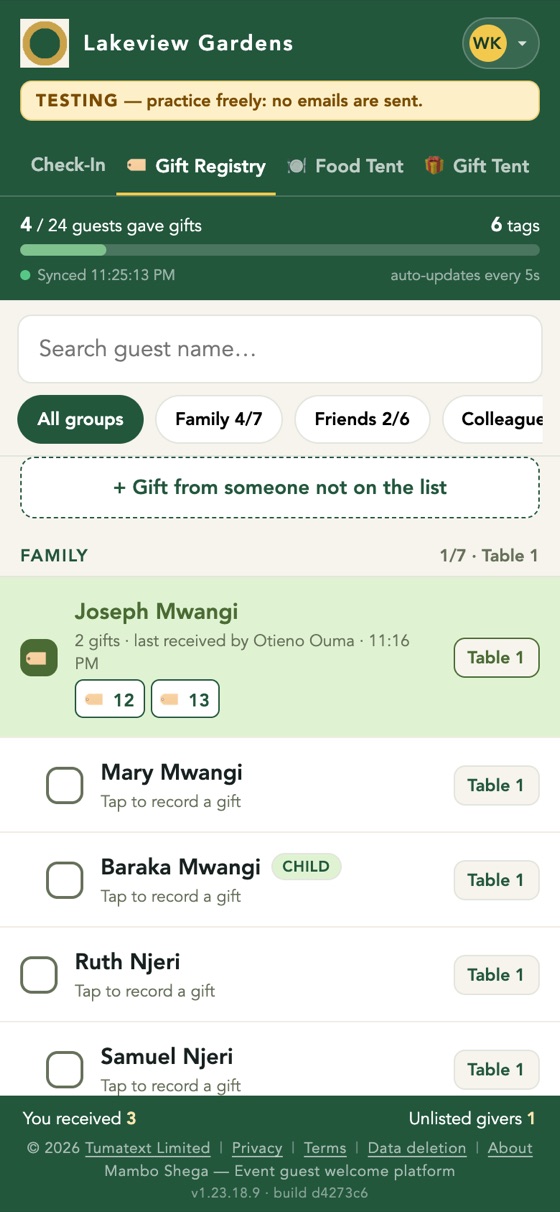
Gift Registry
Each gift guests bring gets a numbered tag, so afterwards you know exactly who gave what.
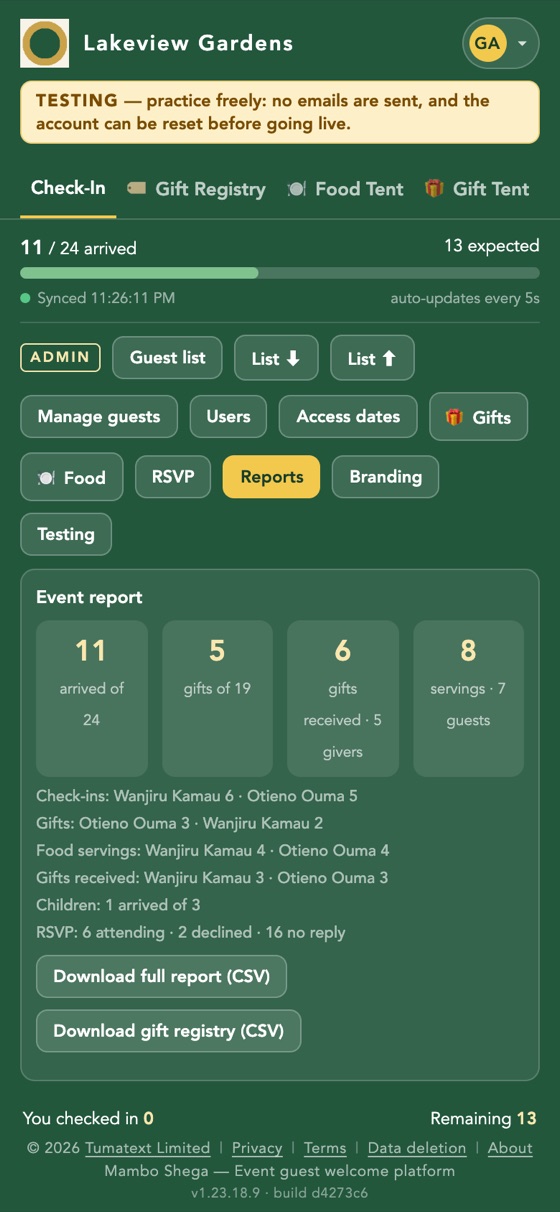
Reports you can keep
- Arrivals, RSVPs and children
- Gifts given, food served and gifts received
- Each usher’s tally
- The full guest report and the gift registry as spreadsheets
From guest list to thank-you notes
Set up
We create your event’s account, branding and staff.
Invite
Send invitations and watch the RSVPs come in.
Rehearse
Practise in testing mode, reset, then go live.
Celebrate
Ushers run the day on their phones; you get the reports.
Planning an event?
Tell us the date and the guest count, and we’ll take it from there.